![SalesHive - Logo (large)-1.png]](https://help.saleshive.com/hs-fs/hubfs/SalesHive%20-%20Logo%20(large)-1.png?width=250&height=72&name=SalesHive%20-%20Logo%20(large)-1.png)
Where to find them: upper lefthand corner of the home screen or Notifications Hub section (Admin > Admin Settings > Notifications Hub)

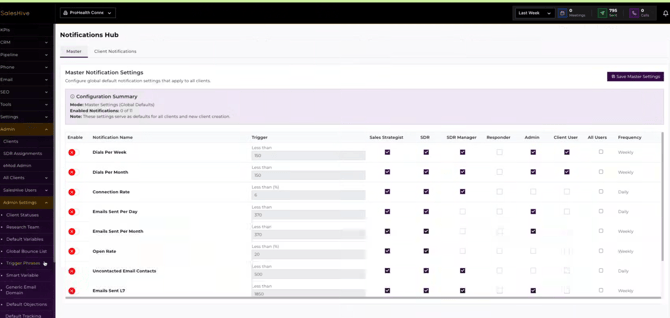
What you will be notified about: Dials per week / month, connection rate, emails sent per day / month, open rate, uncontacted email contacts, emails sent L7, meeting set, list uploaded, email account unathenticated. All live notifications will post as soon as the page is refreshed.
Daily notifications will be sent for the previous day. Weekly notifications will send every Monday.
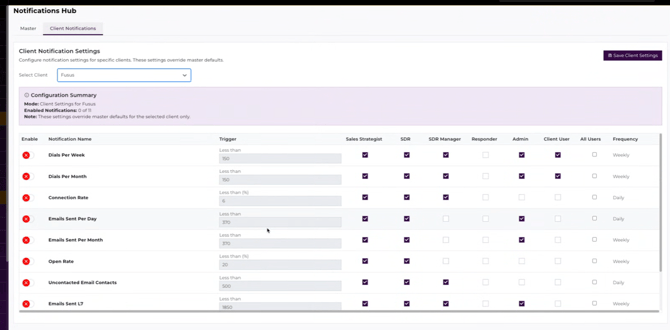
If you'd like to set custom thresholds and notifications, select Client Notifications. You can toggle off specific notifications, edit the Trigger amounts, and select who will be notified.